
How to Open a POS Register Shift
Cashiers must open a POS shift on a register before recording walk-in sales. This ties sales to the correct terminal and session.
Available on
All plans
Cashier or Temple Manager role with POS access.
Navigation path
Archanai counter → Registers / Archanai POS
/dashboard/pos/registers
1Open POS registers
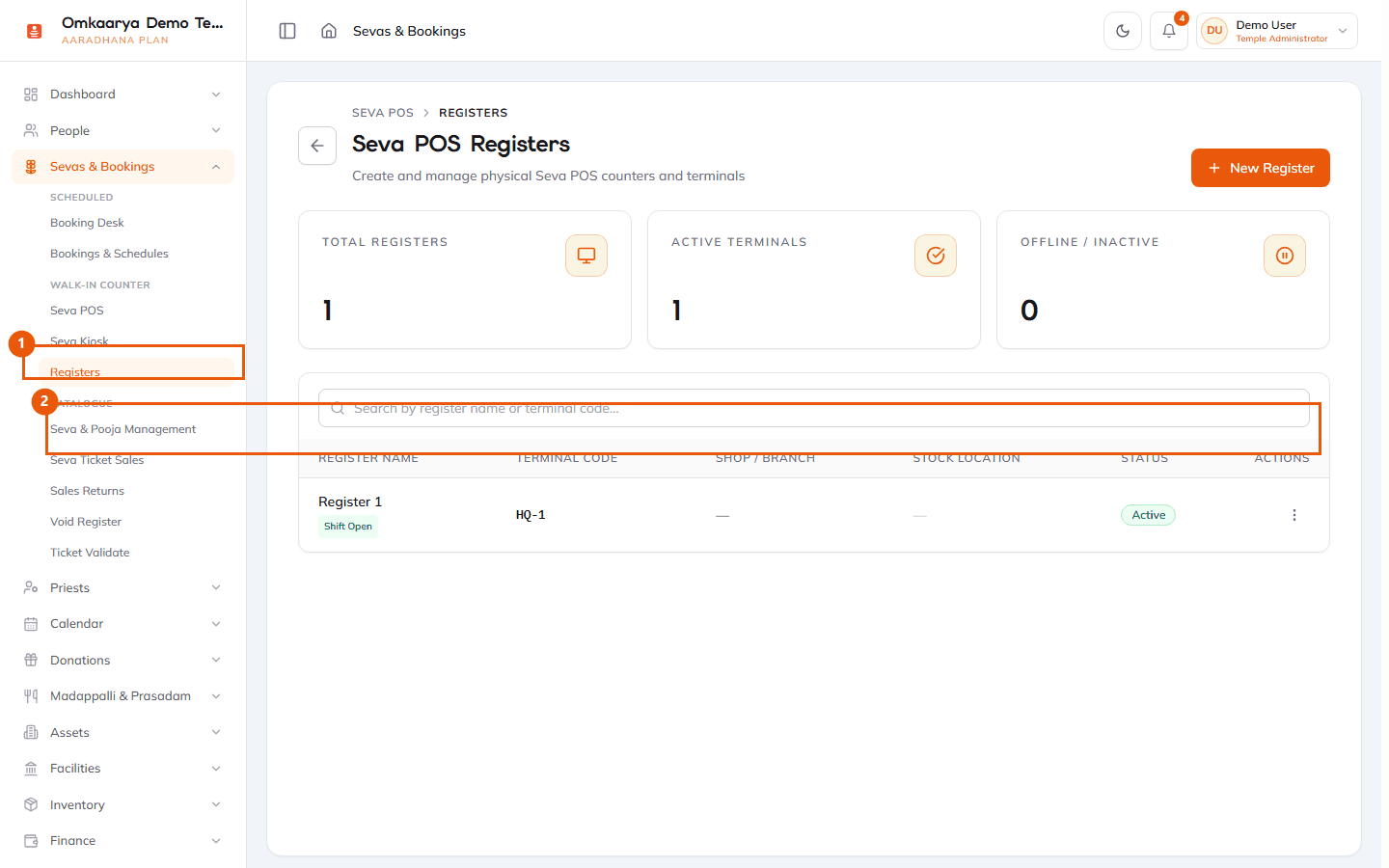
Go to Sevas & Bookings → Registers under Walk-in Counter and select your register.
2Open shift
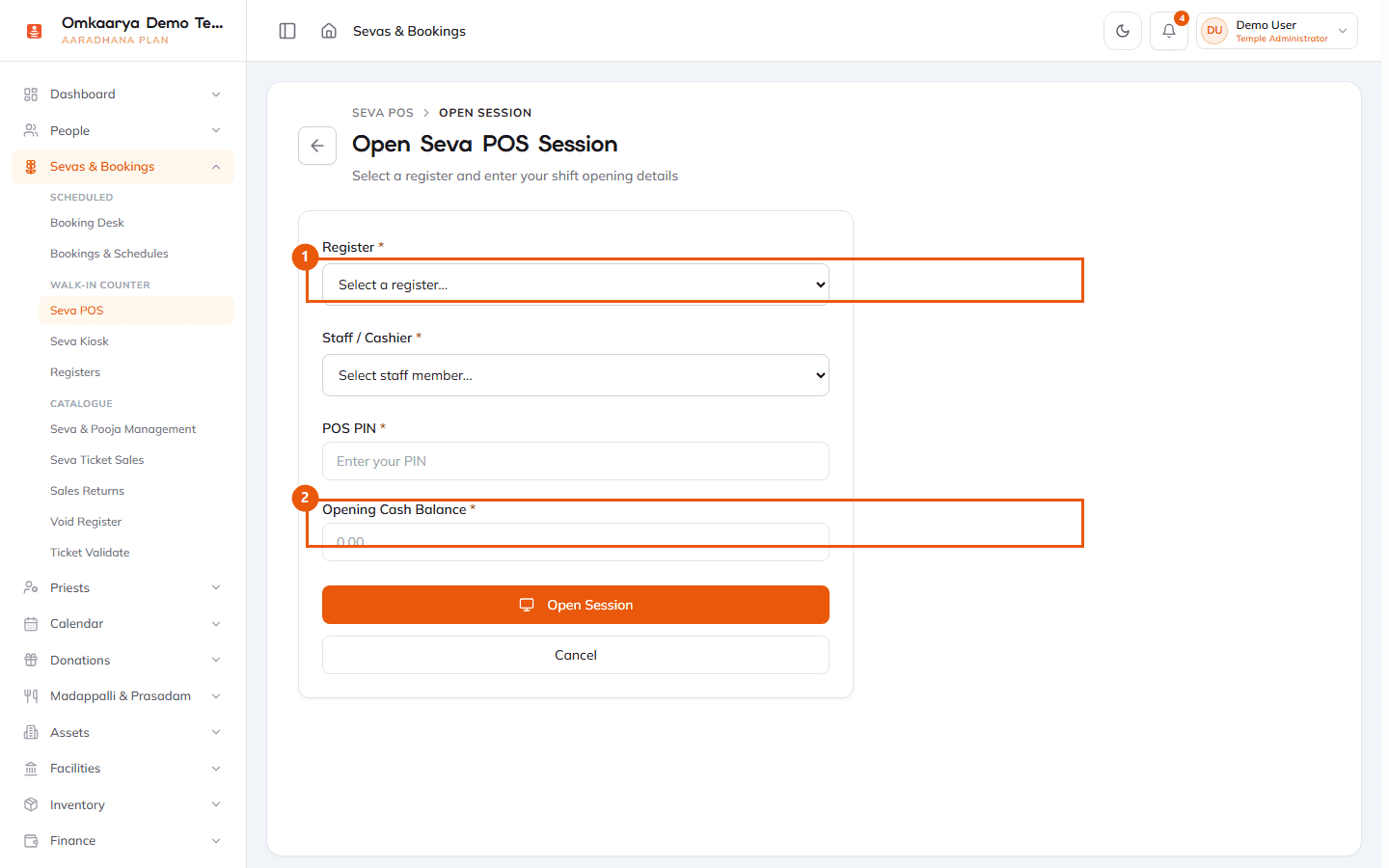
Choose your register, then select Open Session with opening cash if your temple tracks float. Note register limits on your plan.
3Proceed to counter
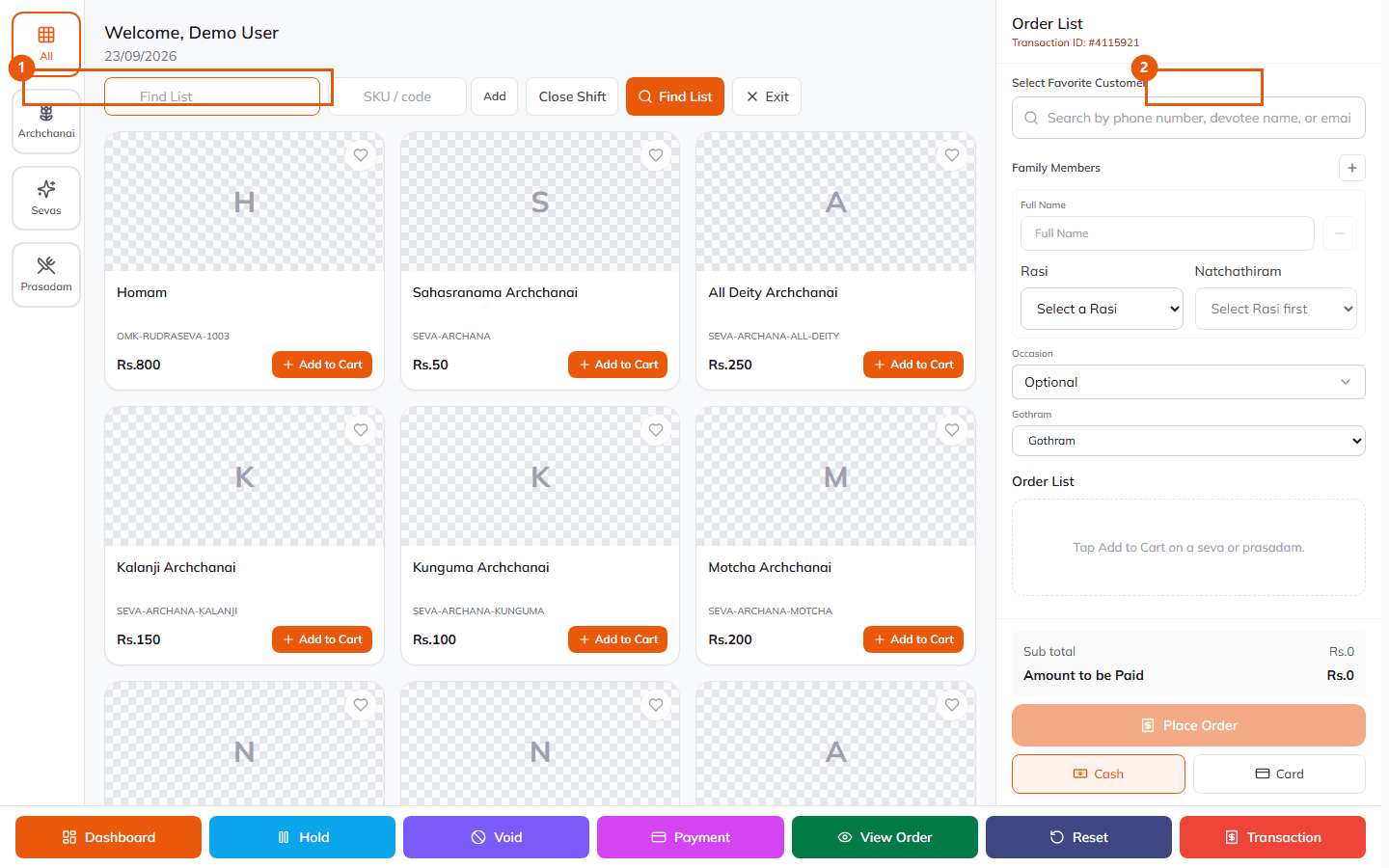
Open the Counter sale screen from Seva POS to add items and complete sales.
What happens next?
- An active shift is linked to your register for audit and reporting.
Troubleshooting
| Issue | What to try |
|---|---|
| Cannot open another register | Your plan limits concurrent POS registers. See plan limits or upgrade options. |
Related articles
Last updated: 2026-03-19 · HC-POS-002
Was this article helpful?
Still need help?
Try another search term, browse a related category, or reach Omkaarya support through the channels configured for your deployment.